Communication Leadership Training, is an attempt to provide some information of Communication keys and Ideas in the year 2016 and following so that Communication Teams can have fresh ideas and plans to do ministry. The first thing you need to know is that the UMC has an agency that is responsible for helping with communication.
The General Commission on Communication (United Methodist Communications; UMCOM) provides leadership for the denomination in the fields of communication, public relations, and promotion of the general funds and programs of the denomination. It is the official news gathering and distribution agency of the denomination. It provides resources and services to local churches and annual conferences in the field of communications.
Contact Information
P.O. Box 320
Nashville, TN 37202
615-742-5400
umcom@umcom.org
Nashville, TN 37202
615-742-5400
umcom@umcom.org
United Methodist Communications serves the totality of the church. We help advance ministries that change lives. We tell stories of need and response and the challenge of living faithfully. Through the denomination’s website, UMC.org, the continuing story of United Methodists as a people and as a movement unfolds worldwide. We show how the work United Methodists do together transforms the world.
We also provide local churches with helpful, easy-to-use tools, resources and training to equip them for communications ministry. Through print and electronic publications, such as Interpreter and Interpreter Digital, United Methodists in Service, MyCom and Noticias, we highlight local church ministries that can be adapted by other congregations and challenge leaders to consider new ways to minister inside and outside the church.
CHURCH MARKETING PLAN - INTRODUCTION
Church Marketing Plan Tool
We're glad you're here!
Your church wants to impact lives, helping people know Christ and engage them through Christian discipleship and outreach marketing. We can help you accomplish this!
The Church Marketing Plan Tool provides several templates and step-by-step instructions to help you create a custom plan that helps connect the unique church God has created you to be with the people He has called you to reach.
Getting started: What is church marketing?
"Church marketing is the process of the church identifying and meeting or contributing to the spiritual, community (sense of belonging) and service needs of its neighbors and surrounding neighborhood." - Overcoming Your Fear of Flying
In other words, church marketing is strategic planning for outreach evangelism.
Overview - Why should your church invest in outreach marketing? Read more
- Theology - In the language of Marketing, we speak of internal and external audiences. The New Testament is full of these examples, though different language and metaphors are used.
- Process - This tool is not something to be read, but is highly interactive. Learn who is involved in outreach marketing.
- Structure - Your outreach plan has five steps. Each step has its own homework and action steps.
- Homework - Pull together demographic and statistical information about your congregation and community.
How-To
Before you start using social networking in ministry, get to know what the sites are like and what goes on them. You can visit one of the sites listed below and search for friends, groups or causes without having to sign up. Once you’re ready, here’s what to do next:
- Sign up for a free account (e-mail address required).
- Create your profile and upload a photo or avatar (a representation of yourself or your alter ego). You can complete the basics and add more details later.
- Decide how public or private you want your profile to be.
- Start finding friends and inviting them to connect with you.
- Upload photographs or videos and share links to Web sites or blogs.
- Post notes or comments to others’ profiles.
- Join groups or causes to expand your personal network and connect with others who share your interests.
How do I set up a group?
It is quick and easy. Here are the basic steps, but remember each social networking site will have a slightly different set-up process:
It is quick and easy. Here are the basic steps, but remember each social networking site will have a slightly different set-up process:
- Establish an individual profile on a social networking site.
- Log into your individual profile and create a new group.
- Give your group a descriptive, succinct name.
- Add basic information about the group.
- Upload an image, graphic or avatar to represent the group.
- Decide if the group will be open to the public, by invitation only (private) but viewable by others who are not members of the group, or viewable only by those invited to join.
- Use the features of the group profile, such as forums, videos and photographs to begin sharing information.
- Locate and invite others on the social networking site to join the group.
- Enlist the support of group members to serve as moderators, hosts and regular contributors to the social networking group to keep content fresh and focused.
- Post links on the group profile to the church Web site, e-mail and any other Web presence for your church. Provide contact information and an address for the church so online interaction easily can transition to offline participation.
An alternative to setting up a group on most social networking sites is to use Facebook Pages. With Facebook Pages, your church can have its own professional presence without being created as a group under an individual’s profile. People become “fans” of your page and can interact in much the same way as groups. To learn more about Facebook Pages, visit the Facebook website.
Social Networking Resources
For dynamic social networking in ministry, consider these resources:
SOCIAL NETWORKING WEBSITES
These social networking websites offer free services and are as easy to use as email or a word-processing program.
ARTICLES AND PRINTABLE RESOURCES
There are many excellent articles and printable resources available online to help you explore and implement a social networking ministry in your local church, district or conference organization:
- Facebook Non-Profit Best Practices Guide
- Adults and Social Network Websites
- Determining Your Social Network Needs
- Eight Secrets of Effective Online Networking
- Facebook for Nonprofit Beginners: Learn the Basics of this Online Social Networking Tool
- Facebook for Pastors (PDF Guide)
VIDEO TUTORIALS
Commoncraft has produced a great, short video and posted it on YouTube, called "Social Networking in Plain English". http://commoncraft.com A short explanation of social networking websites and why they are popular. This video comes in an unbranded "presentation quality" version that can be licensed for use in the workplace.

Church Text Messaging Overview
Text messaging, or "texting" is the common term for sending short" (originally 160 characters or fewer, including spaces) text messages from mobile phones using the Short Message Service (SMS). To get the most out of those 160 characters or less, an entire new lexicon has been developed to shorten words and phrases. For example, “I love you,” is shortened to "ily" or "ilu". It’s a whole new form of shorthand called "textese" or "chatspeak."
Using Text Messaging
Similar to micro-blogging, text messaging is a way to communicate short tidbits of information with individuals or groups. With more people migrating from email and computers to text messaging and cell phones, especially youth and young adults, it is becoming an important way to keep in touch and communicate effectively. Consider these church text messaging ideas:
- Send announcements and last-minute reminders.
- Share birthday wishes.
- Provide Bible verses and short devotions.
- Conduct contests, quizzes and polls.
- Create a prayer chain and praise reports.
- Introduce the weekend’s upcoming Sunday school lesson or sermon.
- Get quick feedback about an idea or question.
Several years ago, when text messaging was making its global debut as the latest and greatest form of digital communication, a contest was held for the best text message of the Lord’s Prayer. Matthew Campbell of York, England, was the winner. Here is his translation:
dad@hvn,ur spshl.we want wot u want&urth2b like hvn.giv us food&4giv r sins lyk we 4giv uvaz.don’t test us!save us!bcos we kno ur boss,ur tuf&ur cool 4 eva!ok?
Check out these SMS service providers for churches:
Learn more:

3 ways churches are using text messaging for good
Carrying a cellphone has become as commonplace as it once was to carry a wallet or a purse, perhaps even more so. In 2014, 81 percent of American adults who owned smartphones used a short messaging service (SMS). Texting seems to be the preferred form of everyday communication for many, so it only seems logical to explore the various ways churches can utilize this technology.
Go ahead! Text in church. 3 areas churches use SMS text messaging 4 good  TWEET THIS
TWEET THIS1. Communicating
Many churches find texting especially handy to send mass communications for:
- Alerting congregants of time changes and cancellations
- Sending event invitations and reminders
- Announcing births and deaths and arrangements for celebrations and funerals
- Communicating special needs or prayer concerns
- Requesting feedback on various ministry issues
Using a mass-text service, a church administrator can enter all participant names and numbers once and then, when needed, type one text and send it to all participants. Many services allow you to set up automations so texts can be scheduled ahead of time.
Global communications
During the Ebola crisis, SMS became an effective tool for reaching clergy in Liberia and Sierra Leone who lacked critical, lifesaving information. Faith leaders were key in adding credibility to these messages. Ken Banks, who developed a short messaging system used by The United Methodist Church during the Ebola crisis says, “Modern, sexy stuff rarely works in many of the places where SMS still works.” It's the "dumbest" technology that often has the most profound effect.
In Kamina, DRC, SMS provides a means of drug-stock monitoring so patients can be treated when diagnosed.
In Zimbabwe, SMS allows communication between Nyadire Hospital and its community health workers — helping to save undue and expensive travel.
United Methodist Communications ICT4D Church Initiatives is working with the staff of episcopal areas in Africa and the Philippines to utilize SMS as an alternative to email, which requires expensive Internet, electricity and computers. Keeping phones charged is more cost-effective as they can be paired with a low-cost solar cellphone charger.
Learn more about how United Methodist Communications is working to open global communications throughout the church at www.umcom.org/global.
2. Giving
Many people no longer carry cash, and some (especially those of the younger generation) don’t write checks. Text-giving, also known as mobile giving, has become one of the newest ways to make giving easy. It works like this.
- The church administration signs up for a texting service.
- Once the service has been contracted, your church receives a number or code that you can give to your congregants.
- Givers simply text the given code and dollar amount to a certain number in order to make a donation.
Different providers offer different services. Some services (usually associated with $5 or $10 gifts) do not require any additional information from the giver. The amount is simply sent to the giver’s phone carrier and appears on the next billing statement. Other services (sometimes referred to as text donations) offer givers a way to donate much larger amounts by having the giver provide banking or credit-card information.
Many churches offer mobile giving to promote consistent giving and reach church members. However, it also comes in handy for special requests (such as missions giving opportunities or benevolence issues) for which congregants may not be prepared to give any other way. Some providers, such as Give By Cell, even offer a “text pledge” service for fundraising campaigns.
3. Worshipping
In addition to giving and communication, some churches use texting in more innovative ways. One UMC pastor in Missouri decided to encourage his parishioners, not only to text him, but also to do so during the service. He answered some of the texts during his sermon and replied to the others afterward.
Another pastor announced the topic of the message and encouraged his Sunday morning crowd to text friends and invite them to “come on over” or to attend a later service. Many pastors, youth leaders and Sunday school teachers use texts to send weekly encouragements and Bible verses to congregants and class members.
One teacher asked parents of the tween boys in his class to sign themselves and their sons up to groupme, a private chat room. As the administrator, only he was allowed to approve members to the group. The boys then were able to text each other in a secure environment (and under his discretion). This allowed them to get to know each other better, even if they went to different schools or if school were not in session. It also allowed the teacher the opportunity to promote further discussion of Bible study-related topics.
With parent approval and participation, chat rooms can be a great idea. However, since there's always room for abuse, your congregation should have a Safe Sanctuaries® Policy that specifies how chat rooms are executed. We recommend that two unrelated, non-cohabitating adults who are at least five years older than the oldest youth in the group to serve as administrators of the group.
Get MyCom tips for church leaders in your inbox.
Getting started
When setting up text-giving or mass texting for your congregation, your church will have to subscribe to a texting service. A variety of mobile giving services are available, including E-Zekiel, Simple Give, Easy Tithe and mgive. Texting services and costs vary. Churches must decide which one is right for them. In doing so, keep in mind a few important points. The first is affordability. Other factors to consider include:
Security: Look for a company that has many safeguards and policies to prevent fraud. Ask about privacy issues and how givers’ information is stored and kept secure.
Simplicity: Find a company that is simple to use, not only for congregants but also for your church administration. Consider how text databases must be created and how easy or hard it will be to organize, schedule and send texts and to receive feedback. If you are considering a text-giving provider, ask yourself the following questions:
- Do we need to fundraise a large amount for a specific need, or are we more interested in long-term, consistent giving?
- Do we want givers to have the ability to text large amounts (more than just $5 or $10)?
- If so, will our givers feel comfortable providing banking or credit-card information to this institution?
- How simple will the actual process of text-giving be?
How you answer these questions will play a large part in determining what kind of plan you need.
Service: For text-giving services, you may consider whether the company managing the text-giving has a program that will integrate with your current church financial programs or if it offers another method to track donations so that you need not manually enter them, line by line.
Another important consideration is timing. Clarify how soon the contributions will be credited to the church’s bank account, if it will be an automatic deposit or if a check will be cut and sent. If a donation must be cleared by the giver’s financial institution and received by the texting service before it is turned over to your church, you will most likely not receive it in a timely manner. In some cases, it could take months.
For any texting service, also ask what kinds of customer support are available should givers have questions, concerns or problems.
Since choosing a service can be overwhelming, you may want to check out a guide on how to choose a texting provider and a list of bulk text-message service providers.
Next time you see someone use their phone in church, don’t think of it as a faux pas. Think creatively. Think out-of-the-box. Think nontraditional, and find a way to use texting as a tool in your ministry.
SMS texting: 7 new ways to reach church members
Ever need to need to send an announcement or an alert to your congregation quickly? Short Message Service (SMS) text messaging could be the solution. Conduct live surveys, collect sign-up information and much more.
According to Nielsen Mobile, 97 percent of mobile subscribers read an SMS message within 15 minutes of receiving it, and 84 percent will respond within an hour. The average mobile marketing campaign response rate is 12 percent with some companies seeing response rates as high as 60 percent plus! Compare these statistics to direct mail - which has an average response rate of 2 percent - and you can see the value of mobile marketing.
Compared to other communication channels such as newspapers, radio and TV, SMS texting is relatively new but in many locations, more accessible. Missionaries are using text messaging to reach people in countries where the Internet may not be as accessible. Smartphones are not required for text messaging, so your message can still reach those with a basic phone or those who lack Internet access.
Here are a few ideas for using a texting service for your church or ministry:
1. Send important alerts such as notices of weather cancellations, friendly event reminders or changes of plans.
2. Conduct live surveys among your congregation for an immediate response during a sermon or Bible study.
3. Conduct live polls and receive questions during a worship service or bible study and address responses on the spot. Consider different ways to manage incoming messages so they are not distracting, like using another church leader to filter questions. The designated leader or speaker could answer certain questions after the service or the leader could immediately text the question to the speaker. Alternatively, a trusted person working on projection could insert interesting or poignant questions on the big screen. Training and rehearsals will be necessary for everything to run smoothly.
4. Advertise events and update attendees before, during and after an event.
5. Promote other media campaigns such as a live Twitter chat, Google+ Hangout or video chat online.
6. Collect additional information when users opt in to your SMS database. Consider asking subscribers to submit their communication preferences such as frequency (weekly or monthly) and preferred channel (text, email or call). Ask recipients to submit their email address if they would like to subscribe to weekly or monthly email updates. Once a week or bi-weekly, plan to export that data out of your SMS database and import it into another system such as Church Management Software or perhaps an Email Service Provider. Alternatively, you could send a text message that links to an online form that feeds their information directly to the aforementioned systems. This will cut out the need for an export/import; however, it creates an extra step for the user and only applies to those with data/internet plans.
7. Send lifesaving information. Since over 75% of the world now has access to mobile phones, SMS can be used to save and improve lives in rural communities. United Methodist communicators in Africa and the Philippines are using SMS to alert communities about cholera outbreaks, and how to prevent malaria. Some communicators are using SMS to strengthen communications between bishops, district superintendents and pastors, where email is not possible. Others are using it to share adult learning opportunities. Learn more at umcom.org/global.
To start connecting with your church members through texting, you must first select an SMS texting service provider. Here is a guide on how to choose an SMS service provider that will teach you about the two main cost structures and help you ask all the right questions before jumping in.
The next step is to launch a marketing campaign to collect mobile numbers. Recipients of text messages must opt in to your campaign by texting a keyword or five- or six-digit code to your number. They may also sign up through a Web form and confirm their subscription via text. When they opt in, they should receive a message stating how to opt out (i.e. Reply "STOP" to opt out.) Customize keywords and opt-out codes with your SMS text service provider.
Advertise your texting campaign in all marketing channels. Marketing material should include options for opting out; be sure to warn people of fees that apply if they do not have an unlimited text plan. For those who have limited text plans or no plan at all, consider developing your very own church app. Then you can send push notifications to the app and those who have the app will have access to your alerts. Your church's UMC app can also include a calendar of events and allow users to "Like" and share your social media updates. To get started, check out the mobile apps offered through Techshop at www.myUMCapp.com.
Consider promoting both text sign-ups and app downloads together. After your mobile sign-up campaign is complete, you should be ready to send SMS blasts. Control the unsubscribe rate by keeping messages infrequent and interesting. Be considerate of those with limits on their phone plan.
Texting is easy and effective. It could be just what your members need to connect with your church.
Give your church bulletin a facelift
Amid the changes in United Methodist churches through the years, one constant has been the weekly bulletin. Perhaps it is time to evaluate your bulletin and look for ways to do it better or differently. Here are some ideas for increasing the effectiveness of your worship bulletin.
IDEAS FOR IMPROVING YOUR BULLETIN
Consider including a monthly “rolling calendar.” In this approach, you print all information and events for four consecutive weeks, starting on the current Sunday. This will give congregants more of a heads up, especially at the end of the month, when a normal calendar would only show a few events.
Include a welcome message: This should be the first thing a reader sees. It should reflect your church’s personality. If your church is casual and contemporary, make the welcoming language reflect that atmosphere. Jon Acuff writes in his blog, “Stuff Christians Like,” about a welcome message he thinks every church should have.
Include a welcome message: This should be the first thing a reader sees. It should reflect your church’s personality. If your church is casual and contemporary, make the welcoming language reflect that atmosphere. Jon Acuff writes in his blog, “Stuff Christians Like,” about a welcome message he thinks every church should have.
Order of worship: Use a bold typeface to delineate the different parts of the worship service. Make sure to indicate when the congregation is to stand, speak or follow any other special direction. Give those who may have difficulty standing permission to remain seated. “Stand as you are able” is a good instruction to mention up front. Remember that many people, especially youth, young adults or people who have difficulty standing repeatedly, aren’t fond of playing “Simon Says” in worship. Many like to stand or sit as the Spirit moves.
Church news: Make sure any news you list answers the 5Ws: who, what, when, where and why. Give enough information for people to know if they want more. Hold the details that they can find out later. If you have the ability, always include an abbreviated “vanity URL” to your website for details. A vanity URL is a simplified and shorter web address (i.e. yourchurch.com/youth). Vanity URLs are easier to remember and save room in print media. Seek specific instructions for how to create a vanity URL from your IT team or from your content-management system’s technical support. Learn how to create a Facebook page vanity URL.
Have at least two people proofread. This may be difficult for smaller churches, but every church probably has people with the gifts to do this. English teachers may consider this a great ministry opportunity. Unless you want to show up in church-bulletin bloopers, be sure to look at every letter and especially at names.
Have at least two people proofread. This may be difficult for smaller churches, but every church probably has people with the gifts to do this. English teachers may consider this a great ministry opportunity. Unless you want to show up in church-bulletin bloopers, be sure to look at every letter and especially at names.
Be consistent in your template. Once your bulletin design is the way you want it in terms of fonts, layout and margins, keep it consistent. This includes having the same information in the same spot in each issue. People find comfort in consistency because it is easier to find things.
WHAT TO AVOID
Abbreviations and Christian jargon. Your congregation may know that CFH is the Cummins Fellowship Hall, but visitors may be confused. And where is the narthex? Is that in the attic?
Too little white space. Avoid the tendency to reduce margins to squeeze in more content. Readers’ eyes need to breathe. White space allows this. Set ample margins and live with them.
Too many fonts. Too many fonts can overwhelm the eye. Never use more than three fonts. Two are ideal: one for the headlines or subheads and one for the body text. Serif fonts (such as Garamond or Times New Roman) are more readable because each letter is distinctive. Designers generally recommend using serif fonts for the body copy and sans serif fonts for headlines, which are shorter, larger and, therefore, easier to read. You may want to review more information on choosing fonts.
Too much information. It is not necessary to list every staff member along with his or her title, phone and email information. Select the staff members who people are most likely to contact and save the rest for your website.
Take time at a staff retreat or meeting to review your bulletin, how helpful it is to visitors and its welcoming message. Don’t fall into the trap of saying, “but we’ve always done it that way.” Your bulletin, like your church, must evolve.
Resources
Free Creationswap bulletin templates
Free Creationswap bulletin templates
FEATURED: MEDIA RELATIONS

Media Relations
Public Information Office
The Public Information Office works to increase awareness and understanding of the mission and ministries of The United Methodist Church through the dissemination and placement of news and information through the secular and religious media, including newspapers, radio, television and magazines. This is accomplished by:
- Maintaining the United Methodist Press Center, an online resource for news media located at www.umc.org/news-and-media/press-center,
- Providing consultative services such as media strategy planning, public relations and crisis communications assistance to church agencies and annual conference
Training
United Methodist Communications offers live training opportunities to hone your communications skills as a spokesperson and during a crisis. For more information email presscenter@umcom.org.
5 steps for storytelling with Storify
By Natalie Gannon
|
Here’s an example. When North Georgia United Methodists and Rethink Church teamed up to feed hungry kids and break the world record for most sandwiches made in an hour, the United Methodist News Service told the story with Storify. You’ll notice this includes first-hand, on-the-scene quotes from social media networks like Twitter and YouTube.
Looks great, it’s easy to read and the best part – it’s pretty simple to use. We’ll show you how in five quick steps!
1. Write a dynamic headline
Once you’ve created your account, it’s time to get down to business. Click on the ‘create a story’ button and let’s get started. Type your headline right here. The same headline rules apply for Storify as newsletter articles. Be compelling and concise.
2. Search and conquer
Here’s the fun part! You can see what others have shared on social media about your event or topic. Storify allows you to explore multiple networks--including Twitter, Facebook, YouTube, Flickr and Instagram. Search by keyword or a specific hashtag.
3. Drag and drop
When you find what you want to add, just click to select it, then drag and drop it where you want it to go. Don’t worry if you change your mind about placement. Simply drag again to rearrange.
4. Connect the dots
Now it’s time to connect each element with creative bits of text to really tell the story. Check out the example from UNMS. You can see where they added copy to tie everything together.
5. Spread the word
Storify has a feature that notifies each person you’ve attributed in your story. So, for example, when UMNS added this tweet from the North Georgia Conference, North Georgia received a notification via Twitter that they were quoted in this story. It also included a link to this page. This feature is a great way to spread the word. Also, make sure you share your story across your own networks and embed it on your church website.
That’s it. For more church communication tips, go to www.youtube.com/mycomtips. And if you have an idea for a future tips video, drop us an email at presscenter@umcom.org.

Online forms for dummies: Easy tips to save time and money
Work ran late. You got stuck in traffic. The drive-through took longer than expected, and now, you are running late to your child’s first night of vacation Bible school. Your children pile out of the car, skipping with excitement, until they walk through the front door. There, crowded together in the foyer, are at least 20 other parents with squirming children, waiting to complete the paperwork to register their children. It’s a common scene that easily can be avoided.
Imagine instead, if, while waiting in the drive-through for your dinner, you had registered your children on your smartphone and simply clicked a button to check in upon arrival. Using online forms, churches can provide an easy, convenient way to register for VBS and other activities that previously required paper forms.
Why use online forms?
Churches need information about participants’ names, contact information, consent and so forth. Forms are an unavoidable necessity. Here is why you should consider using online forms in your church ministries.
Save money.
Most churches are trying to make the most of a small budget while being good stewards of the money invested in God’s kingdom. Even seemingly insignificant costs like forms can add up quickly. Paper, commercial printing, and copier maintenance and ink are expensive. After you collect email addresses using online forms you can cut your print budget even further.
Save time.
We live in an electronic age in which almost all information is now stored on computers. Smartphones are helping many people cross the digital divide, giving them Internet access at their fingertips. When paper forms are used, someone must collate the information and enter it into a computer program. Online forms eliminate this time-consuming task. If a paid church employee is entering the information, that is another expense that can be eliminated.
Save the environment.
Good stewardship extends beyond saving money. It also includes how a church cares for the environment. According to forestethics.org, manufacturing paper is one of the main causes of forest destruction, one of the biggest consumers of energy and one of the largest emitters of greenhouse gases. While churches cannot realistically be expected to be paper free, online forms offer one way to make a substantial difference.
Where to use online forms
Online forms are one of the many low-cost Web-based tools for ministry. They can be used in a variety of church ministries. Think about it. You can use online forms to replace or complement:
- New-visitor cards
- Event registration
- Surveys
- Sign-ups for weekly meals
- Volunteering for various ministries
- Applications for teaching/leadership positions
- Sign-ups for nursery duty
- Nursery or childcare registration
- Prayer-request forms
- Contact forms
- Consent forms
- Sign-in/dismissals of nursery, childcare or youth
Get MyCom tips for church leaders in your inbox.
How to create forms
If you lack the time or expertise to create, code and upload online forms, you are not alone. However, free services such as Google Forms makes it easier than ever to whip up a form and start gathering data.
Before you jump in, figure out how your users will need to interact with church forms. If you need payment processing connected to your event registration, you may need something a little more robust. Come up with all your technical requirements and do a side-by-side comparison of several form services to see what will meet your needs.
Wufoo is free up to three forms per month and offers drag-and-drop tools to make building forms a breeze. Wufoo also includes templates for three common church forms that you can further customize. Check them out:
The process might look something like this:
- Follow the step-by-step instructions to choose and create the form you want.
- Preview the form for acceptability.
- Copy the code provided by the site.
- Paste the link onto the church website, blog or other Internet site.
- Direct users to your site to complete online forms.
It sounds too good to be true, but it’s not. It really is that easy. Some services may also let you email forms directly to participants. Check out these Wufoo tutorial videos to get a better idea of the process.
The best part of online form services is that many providers offer basic packages free. So, there is little risk in trying it. If you like it and want to upgrade, you pay monthly fees for more extensive plans with more features and forms.
Give your church bulletin a facelift
Amid the changes in United Methodist churches through the years, one constant has been the weekly bulletin. Perhaps it is time to evaluate your bulletin and look for ways to do it better or differently. Here are some ideas for increasing the effectiveness of your worship bulletin.
IDEAS FOR IMPROVING YOUR BULLETIN
Consider including a monthly “rolling calendar.” In this approach, you print all information and events for four consecutive weeks, starting on the current Sunday. This will give congregants more of a heads up, especially at the end of the month, when a normal calendar would only show a few events.
Include a welcome message: This should be the first thing a reader sees. It should reflect your church’s personality. If your church is casual and contemporary, make the welcoming language reflect that atmosphere. Jon Acuff writes in his blog, “Stuff Christians Like,” about a welcome message he thinks every church should have.
Include a welcome message: This should be the first thing a reader sees. It should reflect your church’s personality. If your church is casual and contemporary, make the welcoming language reflect that atmosphere. Jon Acuff writes in his blog, “Stuff Christians Like,” about a welcome message he thinks every church should have.
Order of worship: Use a bold typeface to delineate the different parts of the worship service. Make sure to indicate when the congregation is to stand, speak or follow any other special direction. Give those who may have difficulty standing permission to remain seated. “Stand as you are able” is a good instruction to mention up front. Remember that many people, especially youth, young adults or people who have difficulty standing repeatedly, aren’t fond of playing “Simon Says” in worship. Many like to stand or sit as the Spirit moves.
Church news: Make sure any news you list answers the 5Ws: who, what, when, where and why. Give enough information for people to know if they want more. Hold the details that they can find out later. If you have the ability, always include an abbreviated “vanity URL” to your website for details. A vanity URL is a simplified and shorter web address (i.e. yourchurch.com/youth). Vanity URLs are easier to remember and save room in print media. Seek specific instructions for how to create a vanity URL from your IT team or from your content-management system’s technical support. Learn how to create a Facebook page vanity URL.
Have at least two people proofread. This may be difficult for smaller churches, but every church probably has people with the gifts to do this. English teachers may consider this a great ministry opportunity. Unless you want to show up in church-bulletin bloopers, be sure to look at every letter and especially at names.
Have at least two people proofread. This may be difficult for smaller churches, but every church probably has people with the gifts to do this. English teachers may consider this a great ministry opportunity. Unless you want to show up in church-bulletin bloopers, be sure to look at every letter and especially at names.
Be consistent in your template. Once your bulletin design is the way you want it in terms of fonts, layout and margins, keep it consistent. This includes having the same information in the same spot in each issue. People find comfort in consistency because it is easier to find things.
WHAT TO AVOID
Abbreviations and Christian jargon. Your congregation may know that CFH is the Cummins Fellowship Hall, but visitors may be confused. And where is the narthex? Is that in the attic?
Too little white space. Avoid the tendency to reduce margins to squeeze in more content. Readers’ eyes need to breathe. White space allows this. Set ample margins and live with them.
Too many fonts. Too many fonts can overwhelm the eye. Never use more than three fonts. Two are ideal: one for the headlines or subheads and one for the body text. Serif fonts (such as Garamond or Times New Roman) are more readable because each letter is distinctive. Designers generally recommend using serif fonts for the body copy and sans serif fonts for headlines, which are shorter, larger and, therefore, easier to read. You may want to review more information on choosing fonts.
Too much information. It is not necessary to list every staff member along with his or her title, phone and email information. Select the staff members who people are most likely to contact and save the rest for your website.
Take time at a staff retreat or meeting to review your bulletin, how helpful it is to visitors and its welcoming message. Don’t fall into the trap of saying, “but we’ve always done it that way.” Your bulletin, like your church, must evolve.

15 Lessons from 17 Different Church Bulletins

Podcast (audioblog): Play in new window | Download
Recently I emailed some friends and asked them to grab their bulletins from their weekend services at their church and mail them to me. I was overwhelmed when just over 100 that arrived in my mailbox or email! It was so fun looking in at what’s going on at so many churches across the country. I asked for this bulletins because I wanted to learn from what other churches are doing to regularly communicate with their people through this channel. I’ve picked out some of the pieces that stood out to me and provided them here for you to check out as well. How are you leveraging your bulletin (or program … or worship folder … or whatever you call it) to communicate with your people? I hope these inspire you to reconsider how you can make it better … I know it did for me! [You can download all 17 bulletins in one ZIP file.]
It’s doesn’t have to be in full color. // You’ll notice that a number of the bulletins that I’m going to highlight use color to communicate but good design can go a long way with a black and white bulletin. I like what Beulah Alliance Church did with a custom printed stationary (with a stripe of color) and then the rest of it’s in B&W. [Good design is about thinking through how you place the information in an attractive manner … color is optional.]
- The Bigger the Church … The Smaller the Bulletin // I noticed that larger churches seem to limit more what is in the bulletin. Although these ministries have a lot to offer their their people … they narrow the focus of this piece exclusively on what people need to know to take their next step. This is a discipline that I think churches of all sizes should mimic. What actually needs to be in this piece? [North Point in Atlanta has over 25,000 people every weekend but they have one of the smallest bulletins I’ve ever seen!]
- Branded to the Message // The core of a great weekend service experience is the teaching. Many of the bulletins that caught my eye were designed around the message that the Pastor was giving that weekend. This helps to build anticipation in the people attending as well give a sense where the morning is going right from the moment they come in. [Check out how Celebration Church branded the bulletin to their Christmas Series.]
- Make Financials Easy to Understand // If you are going to communicate where your church is at financially make sure to communicate it in a way that is easily understood by non-numbers people. Many churches have “financial reports” in their bulletins but they aren’t clear what they are attempting to communicate. [Check out how simple Central Church made it to understand where they are at.]
- Pictures > Words // We live in an increasingly visual culture. It’s not that people can’t read … it’s just that they don’t. Find ways to add more pictures and images in your bulletin to communicate what you are trying to get across. Find some pictures of people from your church and include them in the bulletin. Use images to draw people’s eyes to what you want to communicate. [Check out how Christ Church of the Valley uses images to communicate!] NOTE: CCV’s bulletin is my favorite of all the ones I received. I love the short story about people being impacted by the church … love how clear what to do if I’m new … love how simply they communicate next steps.
- Repurpose Other Design Elements // Increasingly churches are using slides and graphics to support the announcements portion of the service. Why not take those images and reuse them in your program? If it’s a big enough deal to talk about from stage … it’s a big enough deal to take up more space in the bulletin and use that same slide. [Check out how Christ Community reuses it’s slides.]
- Take the Space to Make it Simple // Are you trying to introduce your people to something new? Take the space to make it super simple to understand. I noticed a number of churches are trying to get people to move to “Text to Give” services. It can be confusing for people who are doing it for the first time. [Notice how Christ Fellowship tried to simplify this process with a simple 4 step process.]
- More is Not Better // Rampant across many of the bulletins I received was just way too much information. If you are ever thinking to yourself “How small of a font can I use and still have people read it?” … you have way too much in your bulletin. So many bulletins had literally dozens and dozens of “calls to action” contained within them … people can’t respond to all that! If you make everything “special” and put it in your bulletin … nothing will be special. [This was a noble attempt by Creekside church to inform people about everything that is going on at their church … but I think it gets lost in how many different things are communicated!] I’d be tempted to slip in an announcement in that bulletin that offers to give people a free $10 iTunes gift card to the first 10 people who read and respond to see if people are actually reading all that. [Doncaster Church is another example of this issue.]
- Declare Your Strategy // Can you articulate your approach to ministry in a straight forward way that makes sense to people who are reading it for the first time? The bulletin is a great place to communicate to your guests how your ministry “works” and what their next steps are. [I think First Baptist Spartanburg does a great job summarizing their 4 fold strategy in their bulletin.] I love the reflective questions listed … they engage people in self reflection and invite them into the mission.
- Perforated Response Cards // Many of the programs that stood out to me had perforated parts for people to tear off and respond. This is an effective way to follow up with first time guests or collect information on how people are reacting to the service. [Check out how First Christian has a “week specific” response tear off that lines up with the announcements for that weekend.] They were looking for people to volunteer with transportation and a Christmas project and had a simple check box response form to respond to those asks.
- Discipleship Embedded Bulletin // What if the bulletin was a discipleship piece? What if it offered help for people and didn’t just try to get something from people? [I dig how Genesis Church has a Bible reading and reflection plan right in their bulletin!]
- Don’t Have a Bulletin! // A number of the friends that I asked to send me something told me that they’ve dropped the bulletin all together. There is a trend of moving away from this printed piece as just sending out a weekly email or maybe hosting it on a blog. Churches are opting out of the bulletin for cost savings, environment stewardship and effectiveness. [Here is an example from a Harvest Bible Chapel of the email that they send out to their entire database every week.]
- Best Use of a Beard // [I love the cover of Open Door’s Bulletin.] Too much fun.
- Help Your Guests Know What to Expect // When I was a kid I remember using the “bulletin” to try to figure out how much longer I had to sit through the service .. our church had the entire order of service printed in it. It seems like most churches have wisely moved away from this sort of “service order” listing in their program … however there is still value in helping your guests anticipate what is going to happen. Not knowing what is going to happen during the service is particularly nerve wracking for a first time guest! [Check out how South Point clearly defines what’s happening at their service.]
- Contextual Contact Information // Who should your guests talk to when they need help at your church? Often churches seem to make it hard to find contact information on the various key leaders that guests should connect with if they have questions. [I like how obvious Sugar Grove Church makes it to find contact information for various departments.] Help people connect with people … not departments. Give out contact information for actual people! [I love how The Meeting House provides the direct cel phone number of their campus pastor right on their program … that campus is a few thousand people … and you can call the Campus Pastor directly.] (Try it! Tell Matt I say hi!)
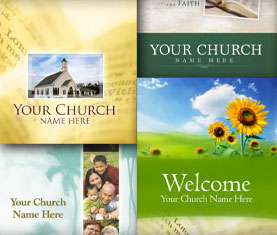
I’d love you to provide a link to your bulletin (or program!) in the comments section. What do you think your piece does particularly well? At my churchwe focus our bulletin totally on the first time guests … I don’t think our “regulars” look at bulletin at all. We used to have this cool “story of us” on the inside of our program every week for about 18 months. I liked that piece because I think it brought people up to speed quickly on who we are. I also like our current version of “what to expect” … I think it makes it pretty clear what is about to happen for our guests. I’d love to hear about yours!

Easily analyze Twitter: Best time to tweet and more
According to a recent study, Twitter is the fastest growing social platform in the world. We hope your Twitter followers are growing rapidly as well. If so, you probably don't know who they all are. Although that's a good problem to have, wouldn’t it be nice to know exactly who they are, what they want to talk about and how you can best communicate with them? With the two Twitter tools, SocialBro and FollowerWonk, you can do all of these things!
Learn how these Twitter tools can help enhance your church marketing efforts.
Learn how these Twitter tools can help enhance your church marketing efforts.
SocialBro
This tool allows you to manage and analyze your Twitter followers in a variety of ways. Some of the most beneficial features include:
- Find the best time to tweet your followers. Would you like to promote a church program coming up this weekend? SocialBro will tell you the optimal time to get your message to the widest audience. It breaks down the information by online followers and potential exposure by the hour or the day of the week. It also shows replies and re-tweets (RT) by hour or day of week.
- Compare your church’s information to similar churches. With SocialBro, you can filter your followers by language, number of followers or friends, follower/friend ratio, number of tweets per day and more. Not only do you receive this data on your own account; you also can type any other Twitter handle and see the information related to that account. With this feature, you can determine if you are on par with your peers at other churches or organizations. If they have more followers and friends, for example, examine their strategies to determine what your church can borrow.
- Discover what your followers are discussing. Through SocialBro’s tagcloud feature, you can examine the most common subjects your followers talk about and the links they’ve shared, allowing you to connect with them. Are your followers talking about their weekend plans? Tweet about the rummage sale the church has this weekend. Are they discussing the latest episode of “American Idol”? Find a way to connect the show with this week's sermon.
FollowerWonk
- Search Twitter bios. Are you looking for a follower who is a photographer and can snap some shots at your upcoming event? Type in “photographer,” and you'll instantly have a list of potential candidates. You can search by name, URL, location or number of friends, followers or tweets.
- Find influential followers. FollowerWonk can provide you with a pie chart of data on who follows your followers. Your followers with the most followers generally have the most influence. These are the people your church would want to target to help spread a message by re-tweeting your tweets.
Both SocialBro or FollowerWonk will provide valuable data you can use to strengthen and manage your Twitter presence. By knowing your followers, you can tweet the information they want when they want it.
When is the best time to post to social networks?
Want the largest audience for your post on Facebook? Want the most likes, favorites or clicks? Like cooking a soufflé or preparing a good roux, there’s an art to the timing of your posts.
Fast-food posting (serving the masses)
If you want the most eyeballs possible on Facebook, make sure to post between 1 and 4 p.m. That time recommendation comes from a study by the link-shortening service bit.ly. The service charted when the largest numbers of people were using social networking sites. For quick reference, here is the cheat sheet:| Weekday | Weekend | |
| 1-4 p.m. | Same (Less overall) | |
| 1-3 p.m. | Ghost town | |
| Tumblr | 7-10 p.m. | Friday 8 p.m. (More overall) |
If only it were that simple. This works for measuring overall eyeballs, but engagement via favorites, shares, likes and so forth are another story. If you have ever been on a social network when most of your friends are, you realize quickly that you do not spend a lot of time with each post but swap into scan-mode looking for the best bits.
Posting around the dinner table (focused on engagement)
That’s where Dan Zarella’s work comes in. He collected a database of 1.3 million posts from the top 10,000 pages on Facebook and analyzed their likes, comments and shares. It turns out that when you are presented with the fire hose, each of those posts in the overwhelming stream is less likely to receive any real depth of engagement. While the peak traffic is at 1-4 p.m. on Facebook, you are most likely to get engagement from 5 to 9 p.m. Here is the cheat sheet (with some Twitter engagement data from a related post):| Time | Day | |
| FB Likes | 5-9 p.m. | Saturday - Sunday |
| FB Shares | 8 a.m., noon, 4-6 p.m. | No data |
| 2-5 p.m., 8-11 p.m. | Thursday, Saturday - Sunday |
Salt and pepper to taste (making it yours)
Remember that this is nationwide data. It may turn out that you have a bunch of moms on in the middle of the day or shift workers logging on in the wee hours of the morning. Matching this information with your knowledge of the community, you have a perfect recipe for success. Also, there are many tools to help you analyze your Twitter followers for the best time to tweet.
Even if your schedule doesn’t match that of your audience, you can write at your own time and schedule posts using a service like HootSuite to serve up your perfectly crafted social media posts still piping hot when your audience is online and ready for a little something.
| Social Share |
| Related Articles |
| Easily analyze Twitter: Best time to tweet and more 2012 social media changes expand potential for churches Tumblr favored over Facebook for 13- to 25-year-olds The 10 commandments of social media Communications
Matt Brodie
Communication is everything we do, say, or show. We are constantly communicating, whether we mean to or not. As Christians and United Methodists, we need to understand how important communication is to our goal of making disciples for Jesus Christ.
If you ever need any assistance with your communication, please call Matt Brodie at 803-786-9486 ext 265
Technology is ever changing and as such the tools for communicating are constantly evolving. To be effective communicators in a Google world you need to learn and embrace new forms of communication and technology. The simple truth is that brochures and newsletters just don’t cut it any more.
RESOURCES:Crisis CommunicationsCross and Flame GuidelinesStay ConnectedPress Contacts:
Matt Brodie
Director of Communications 803-786-9486 ext. 265 mbrodie@umcsc.org
Jessica Connor
South Carolina United Methodist Advocate, Editor 803-786-9486 ext. 338 jconnor@umcsc.org National and International United Methodist Church News and Information:
UMC.org (www.umc.org) – The official web site of The United Methodist Church
United Methodist News Service (www.umns.umc.org) – get articles, graphics, and press releases
InfoServe (http://infoserv.umc.org) – the information service of The United Methodist Church
|
